Passwords Aren’t Dead, but They Shouldn’t Be Working Alone
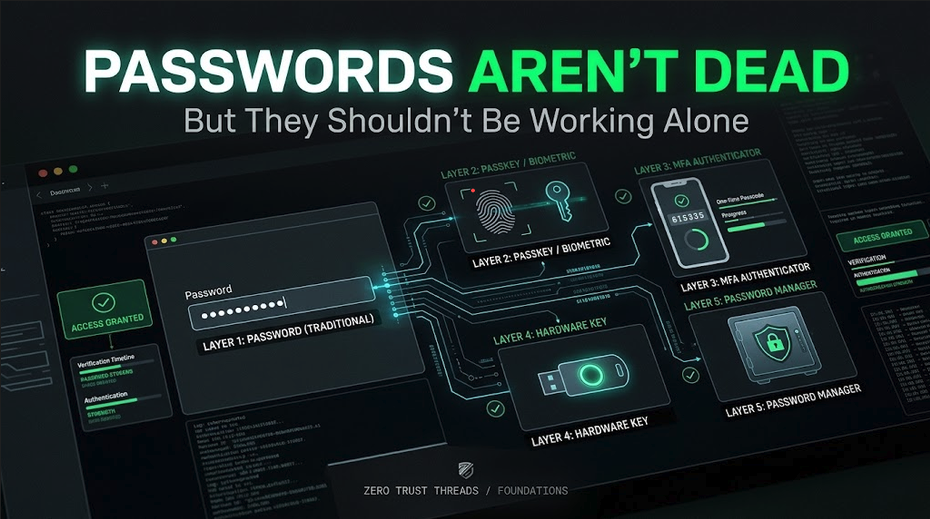
Passwords have been declared dead for years. And yet here we are. You still use them. Websites still ask for them. Companies still manage them. Attackers still steal them.
Passwords are not disappearing overnight. The better lesson for cybersecurity beginners is not that passwords are useless. It is: Passwords are only one part of authentication, and they have weaknesses we need to understand.
What a Password Actually Does
A password is something you know that helps prove you are the person attempting to authenticate. That makes it an authentication factor based on knowledge.
The problem is that knowledge can be:
- Guessed
- Reused
- Phished
- Stolen
- Exposed in a breach
- Entered into the wrong website
- Shared with someone else
A password can still be useful. It just should not be treated like an indestructible security barrier.
Password Length Matters
One of the biggest changes in modern password guidance is the move away from complicated composition rules. You have probably seen requirements like:
At least 8 characters, one uppercase letter, one lowercase letter, one number, one symbol.
That often produces passwords like: Summer2026!
The password technically satisfies the rule, but that does not necessarily make it strong. Current NIST SP 800-63B-4 requires a minimum of 15 characters when a password is used as a single authentication factor. When a password is only one part of a multi-factor authentication (MFA) process, NIST permits a shorter minimum but still requires at least eight characters. NIST also says verifiers should allow at least 64 characters and should not impose arbitrary composition rules.
The lesson is simple: Length and uniqueness matter more than password gymnastics.
Stop Changing Good Passwords for No Reason
Another old habit is forcing users to change passwords every 30, 60, or 90 days. Current NIST guidance says passwords should not be changed periodically unless there is evidence that the authenticator has been compromised.
Why? Because forced rotation often creates predictable behavior. People start with:
Winter2026!Spring2026!Summer2026!
The password changed, but the underlying security did not improve much. Passwords should change when there is a reason. For example:
- The password was exposed.
- The account may have been compromised.
- The user accidentally shared it.
- A breach involved the credential.
Changing passwords constantly just because the calendar says so is not the same thing as managing risk.
Reuse Is the Bigger Problem
Imagine you use the same password for:
- Shopping
- Social media
- Banking
- A gaming account
If one website gets breached, an attacker has a username and password combination they can try elsewhere. This is commonly associated with credential stuffing. The password may have been strong, but the reuse is what created the larger problem. This is why unique passwords matter.
Password Managers Help Solve the Human Problem
Humans are not good at memorizing fifty long, random, unique passwords. The better solution is often a password manager. CISA recommends using a password manager to store passwords and encourages long, unique, random passwords.
A password manager can help you:
- Generate unique passwords
- Store them securely
- Avoid reuse
- Identify weak or exposed passwords
- Reduce the temptation to create predictable variations
You still need to protect the password manager itself. Its primary credential should be strong, and multi-factor authentication should be enabled when available.
But Passwords Can Still Be Phished
Suppose you receive an email. It looks legitimate. You click a link. The site looks exactly like your real login page. You enter your password. The attacker now has it.
The password worked exactly as designed. The problem is that you gave it to the wrong verifier. NIST explicitly states that passwords are not phishing-resistant. That is one of the reasons stronger authentication methods matter.
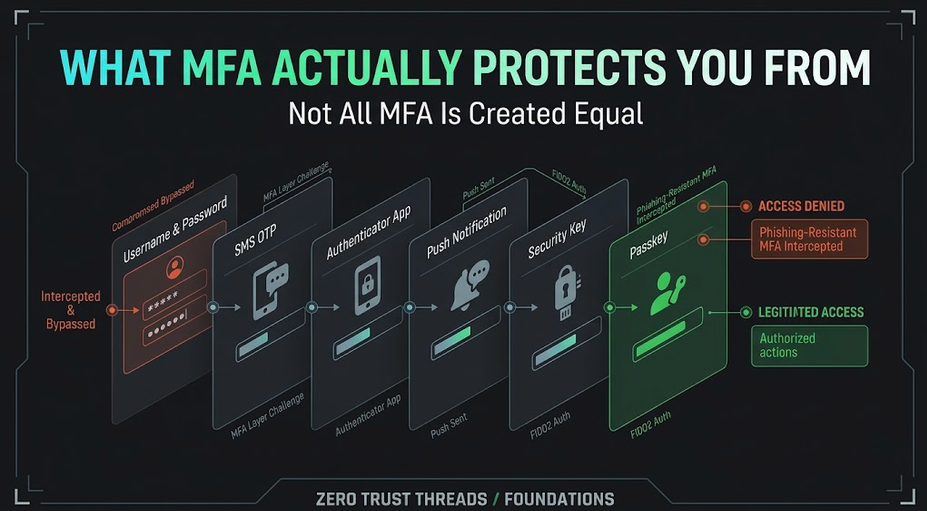
MFA Changes the Equation
Multi-factor authentication requires authentication using more than one distinct factor. Instead of relying only on something you know, the system may also require something you have or something you are.
A password plus another factor means stealing the password alone may no longer be enough. That is a major improvement. But not every MFA method provides the same resistance to attack. We will cover that in the next article.
What About Passkeys?
Passkeys are increasingly being used as an alternative to traditional password authentication. They use public-key cryptography and are designed so the secret used to authenticate is not typed into a website and sent to a server in the same way a password is.
FIDO classifies passkeys as phishing-resistant because of the way authentication is bound to the legitimate service. That is a meaningful security improvement. But it does not mean passwords will instantly disappear. Many systems will support combinations of passwords, MFA, passkeys, security keys, and recovery methods for years.
Recovery Is Part of Authentication Security
Here is something beginners sometimes miss: You can have excellent authentication and weak recovery.
Suppose an account uses a phishing-resistant passkey. Great. But then the recovery process allows someone to reset the account using easily guessed security questions. The strongest authentication path is not very useful if the recovery path bypasses it. Authentication security needs to consider the entire lifecycle.
A Better Beginner Strategy
For accounts that still use passwords:
- Use a unique password.
- Make it long.
- Store it in a reputable password manager.
- Enable MFA.
- Prefer phishing-resistant MFA when available.
- Protect account recovery methods.
- Change passwords when compromise is suspected or confirmed.
That is a much stronger strategy than: Add an exclamation point and change it every 90 days.
Key Takeaway
Passwords are not dead. But they should not carry the entire authentication burden. Use long, unique passwords. Use a password manager. Add MFA. Prefer phishing-resistant authentication where possible.
And remember: A password is one control. Good identity security comes from layers.
Verified References
- Current NIST SP 800-63B-4 requires longer passwords for single-factor authentication, rejects arbitrary composition requirements, discourages periodic forced changes, and states that passwords are not phishing-resistant.
- CISA recommends password managers, long unique passwords, and stronger MFA methods.
About the author
- Zero Trust Threads is a cybersecurity media and lifestyle brand focused on making cybersecurity, Linux, networking, GRC, and tech culture approachable through practical projects, real-world learning, and a little humor. Trust nothing. Learn everything.
Comments
Join the discussionNo comments yet. Be the first to comment.
Zero Trust Threads Foundations
Cybersecurity does not have to be learned all at once. Zero Trust Threads Foundations breaks down essential cybersecurity and IT concepts into approachable, practical lessons for beginners. Learn the fundamentals of HTTP security, home labs, Linux, logs, defensive security, and more while building the knowledge needed for hands-on learning.