Least Privilege Sounds Simple Until You Have to Implement It
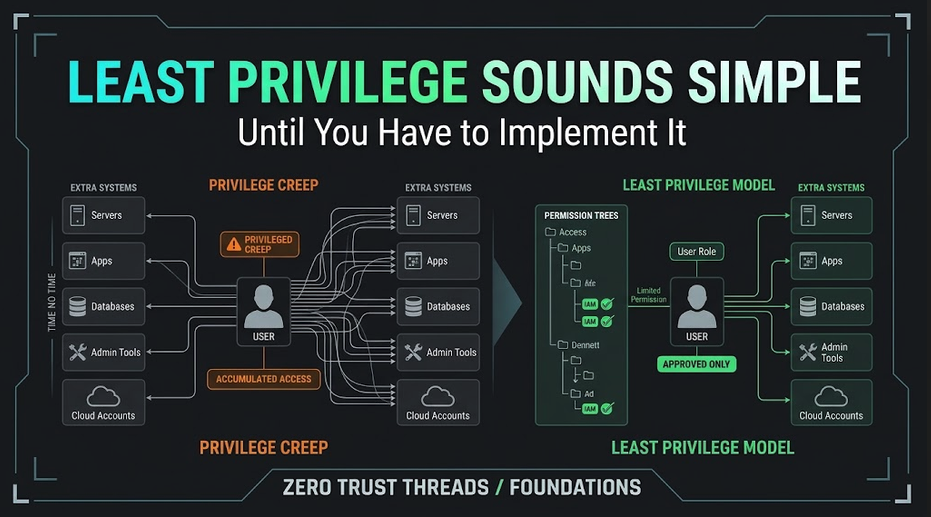
The Challenge of Least Privilege
The principle sounds easy: Give people only the access they need. Done. Cybersecurity solved.
Except the phrase "only the access they need" hides most of the difficult part. What do they need? Who decides? For how long? What if their job changes? What if a system cannot separate permissions cleanly? What if removing access breaks something?
Least privilege is simple to explain. Implementing it well requires actual work.
What Is Least Privilege?
NIST defines the principle as granting entities only the minimum system authorizations and resources required to perform their functions.
SP 800-171 Rev. 3 requires organizations within its scope to allow only the access necessary to accomplish assigned tasks, review privileges periodically, and remove or reassign privileges when they are no longer needed.
That applies to:
Users
Administrators
Roles
Applications
Processes
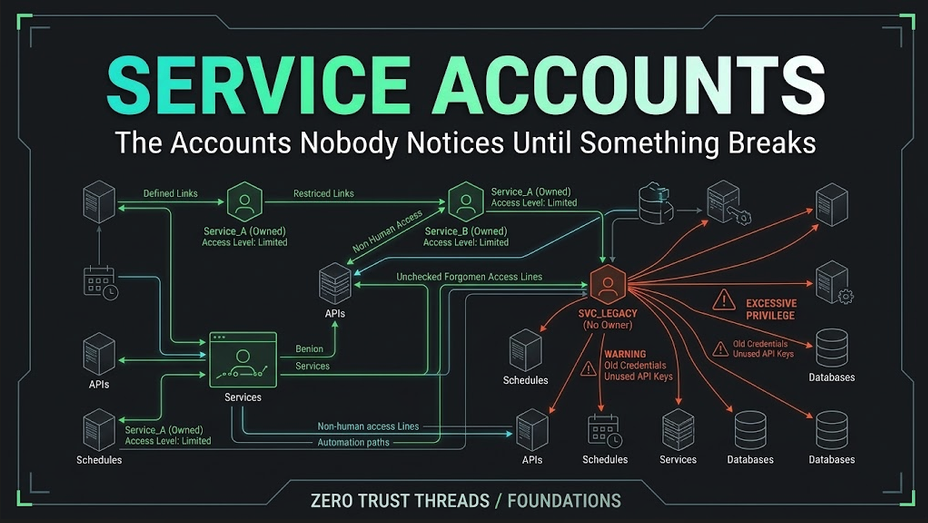
Service accounts
The objective is not to make everyone's job difficult. It is to reduce unnecessary access.
The Easy Version
Suppose Alice works in accounting.
Alice needs:
Accounting application
Payroll reports
Shared accounting folder
She does not need:
Domain administrator
Firewall administration
Security logs
Developer repositories
Simple. Now enter reality.
Alice temporarily helps with another project. She gets access to another folder. Then a reporting tool. Then a database. Then a cloud application.
Five years later, Alice may still have everything. That is privilege creep.
Access Accumulates Naturally
Organizations change. People:
Transfer teams
Receive promotions
Cover for coworkers
Join projects
Troubleshoot incidents
Receive temporary elevation
Access gets added because someone needs to work. Removing access often receives less attention.
This creates an asymmetric lifecycle:
Need access? Add it immediately.
No longer need access? We'll review that later.
Later can become years.
Roles Help, but Roles Can Become Messy
Role-based access control can simplify permission management. Instead of giving each user individual permissions, users receive roles such as:
Help Desk
Network Administrator
HR Manager
Developer
The role carries the appropriate permissions. That is cleaner.
Until someone creates:
Help Desk Plus
Help Desk Advanced
Help Desk Legacy
Help Desk Temporary
Help Desk Special
Now role management becomes its own problem. Least privilege requires ongoing maintenance.
Administrator Access Deserves Special Attention
Privileged accounts can perform actions normal users cannot. Examples include:
Creating accounts
Installing software
Changing security settings
Modifying access controls
Managing logs
Configuring security systems
NIST SP 800-171 Rev. 3 specifically requires restricting privileged accounts to authorized personnel or roles and says users with privileged accounts should use non-privileged accounts when they are not performing privileged work.
That creates a useful model. Instead of using patrick-admin for email, browsing, documents, and administration all day, a person might use:
patrick for normal activity
patrick-admin only when administrative privileges are required.
Why? Because privileged access increases the consequences of mistakes or compromise.
Least Privilege Limits Blast Radius
Imagine two compromised accounts.
Account A Can access:
Personal files
Account B Can access:
Every server
Firewall
Backups
Identity platform
Cloud admin portal
Which compromise creates the larger problem? The credentials may have been stolen the same way. The permissions determine how far the attacker can go. Least privilege attempts to limit that blast radius.
Least Privilege Does Not Mean Zero Access
Sometimes security teams accidentally turn least privilege into: Nobody gets anything.
That is not the goal. People need enough access to do their work. A security control that prevents legitimate work will generate workarounds. Users may:
Share accounts
Copy data elsewhere
Ask for broad permanent access
Bypass processes
Good access control balances security with actual operational requirements.
Temporary Elevation Can Help
Sometimes someone genuinely needs administrator access for fifteen minutes. That does not automatically justify permanent administrative access.
Modern identity systems may support temporary or just-in-time elevation. Conceptually:
Normal account ↓ Approved request ↓ Temporary privilege ↓ Task completed ↓ Privilege removed
That can reduce standing privilege. The specific implementation varies by platform, but the principle is valuable.
Review Is Where Least Privilege Becomes Real
Access may be correct when it is granted. Six months later, it may not be. That is why reviews matter.
Ask:
Does this person still need the role?
Does this service account still need this permission?
Does this administrator still need privileged access?
Does this application still exist?
Does this firewall administrator still manage firewalls?
NIST explicitly requires privilege review and removal or reassignment when privileges are no longer needed. Least privilege is not a one-time configuration. It is a maintenance process.
Logging Privileged Actions Matters
NIST SP 800-171 Rev. 3 also requires logging the execution of privileged functions within its scope. That matters because privileged actions can significantly change a system.
If someone:
Creates a new administrator
Changes firewall rules
Disables security software
Modifies logging
Changes access controls
...you want evidence that the action occurred. Least privilege reduces who can perform the action. Logging helps you understand when those actions occur.
Try It in Your Home Lab
Create a standard Linux user. Then compare:
whoami
with:
sudo whoami
Your standard identity does not automatically operate as root. sudo allows authorized elevation for specific administrative actions.
You can explore:
sudo -l
to see what sudo permissions your current account has. The point is not to memorize sudo. The lesson is: Use elevated privilege when required, not automatically for everything.
Least Privilege Is a Design Question
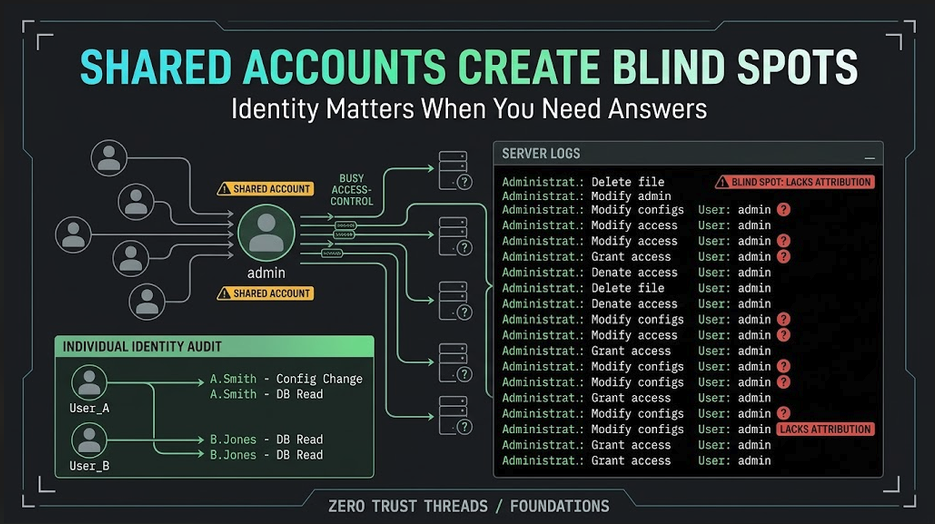
Every time you create an identity, role, service, or application, ask: What does this actually need to do?
Then grant access around that requirement. Not: What is the easiest permission that will make the error disappear?
Because the easiest permission is often: Administrator. And that is how unnecessary privilege spreads.
Key Takeaway
Least privilege sounds simple because the principle is simple. The implementation is difficult because organizations constantly change. People change jobs. Applications change. Projects start and end. Permissions accumulate. Exceptions happen.
Good least privilege therefore requires:
Appropriate roles
Limited privileged access
Separate administrative identities where appropriate
Temporary elevation when practical
Periodic review
Removal of unnecessary permissions
Logging of privileged activity
The goal is not to give people as little access as possible. The goal is to give them exactly enough.
Verified References
NIST SP 800-171 Rev. 3 requires least privilege for users and system processes, regular review of privileges, and removal or reassignment of unnecessary access.
It separately addresses privileged accounts, requiring privileged access to be limited to authorized personnel or roles and encouraging non-privileged accounts for ordinary functions.
NIST's corresponding assessment guidance verifies these requirements by examining privileged-account restrictions and whether non-privileged accounts are used for non-security functions.
About the author
- Zero Trust Threads is a cybersecurity media and lifestyle brand focused on making cybersecurity, Linux, networking, GRC, and tech culture approachable through practical projects, real-world learning, and a little humor. Trust nothing. Learn everything.
Comments
Join the discussionNo comments yet. Be the first to comment.
Zero Trust Threads Foundations
Cybersecurity does not have to be learned all at once. Zero Trust Threads Foundations breaks down essential cybersecurity and IT concepts into approachable, practical lessons for beginners. Learn the fundamentals of HTTP security, home labs, Linux, logs, defensive security, and more while building the knowledge needed for hands-on learning.