Indicators of Compromise Aren't Proof of an Attack
An unfamiliar IP address appears in a security alert.
We found the attacker.
Maybe.
Maybe not.
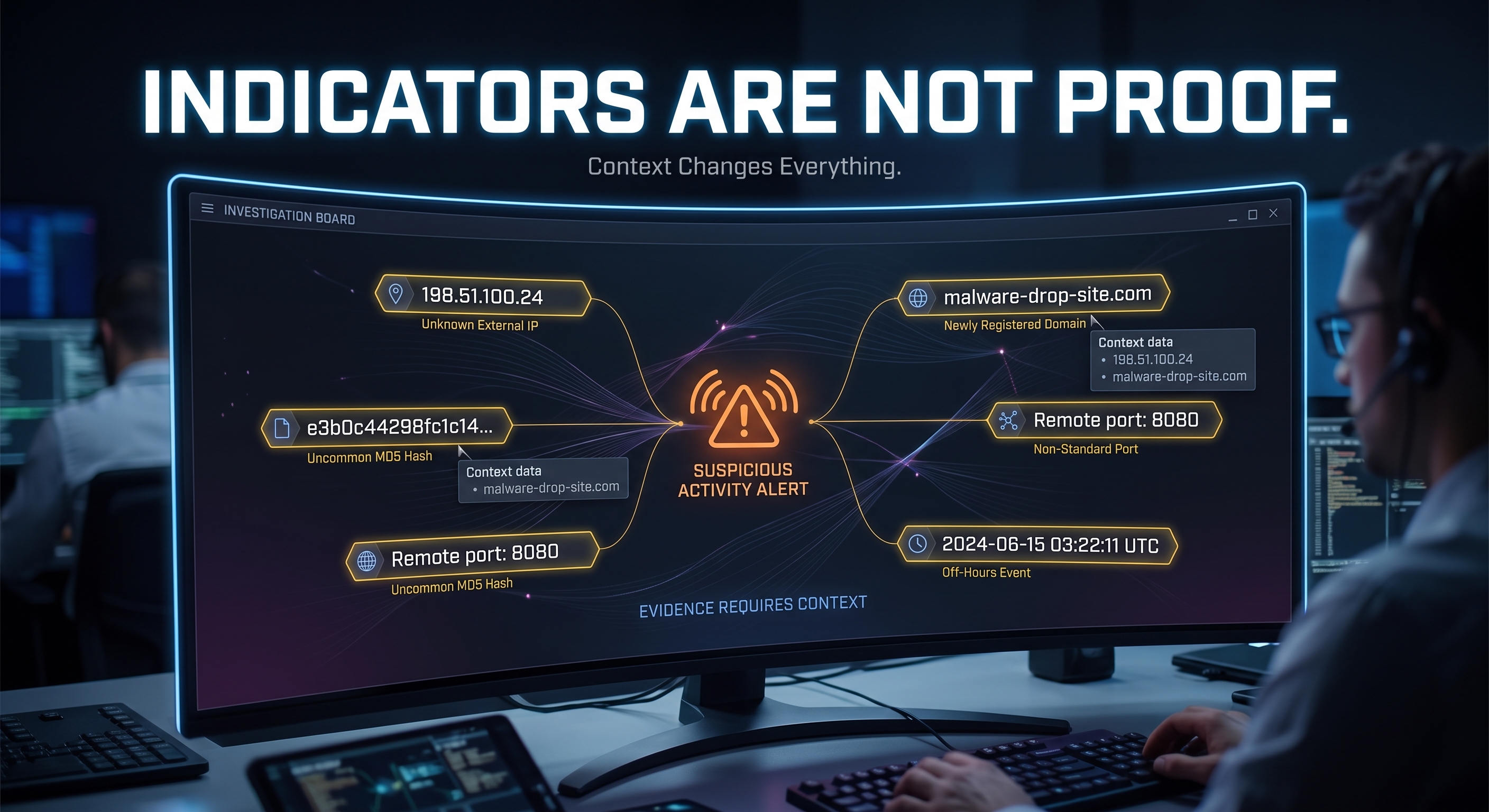
One of the most important analytical skills in cybersecurity is understanding that an indicator of compromise is an indicator, not automatically proof of compromise.
What Is an Indicator of Compromise?
NIST describes an indicator of compromise, often shortened to IoC, as a technical artifact or observable that suggests an attack may be imminent, underway, or that a compromise may already have occurred.
Notice the language.
Suggests.
That matters.
An indicator tells you:
Look here.
It does not necessarily tell you:
Case closed.
Common Indicators
Depending on the situation, indicators may include things such as:
IP addresses
Domain names
URLs
File hashes
Filenames
Email addresses
Registry values
Network artifacts
Other observable technical information
NIST's cyber threat information guidance includes indicators of compromise as one category of information organizations can use to identify, assess, monitor, and respond to cyber threats.
But every indicator needs context.
Example: A Suspicious IP Address
Suppose threat intelligence identifies:
203.0.113.50
as being associated with malicious activity.
Then you find that address in a firewall log.
Compromised?
Not necessarily.
You still need to know:
Was the connection inbound or outbound?
Was it allowed or blocked?
What system was involved?
What application created the traffic?
When did it happen?
What other activity occurred around it?
Was the address still associated with malicious infrastructure at that time?
Did any data actually move?
Without context, you have an observation.
Not a complete conclusion.
Example: A File Hash
Cryptographic hashes are frequently used to identify files.
Suppose a file on a computer matches a known malicious hash.
That is much more interesting.
But even then, analysis matters.
Ask:
Was the file executed?
Was it quarantined before execution?
Did another security tool place the sample there intentionally?
Was it stored inside a malware-analysis lab?
What host contains it?
What activity occurred around the time the file appeared?
The same artifact can mean very different things in different environments.
Context changes interpretation.
Why Indicators Can Become Stale
Cyber infrastructure changes.
An IP address may be reassigned.
Domains can change ownership.
Attackers change infrastructure.
Files are modified, producing different hashes.
Security research environments may deliberately contain malicious samples.
Threat intelligence therefore has a time component.
A useful indicator today may be less useful later.
This is another reason security analysis should not rely on a single data point.
Indicators Are Pieces of Evidence
Think about an investigation.
You find:
Known suspicious domain
Then:
Unexpected PowerShell process
Then:
Outbound connection from that process
Then:
New persistence mechanism
Then:
Authentication activity from the affected account
Each additional observation adds context.
The overall picture becomes more meaningful.
That is different from finding one unfamiliar domain and declaring the system compromised.
Alerts Work the Same Way
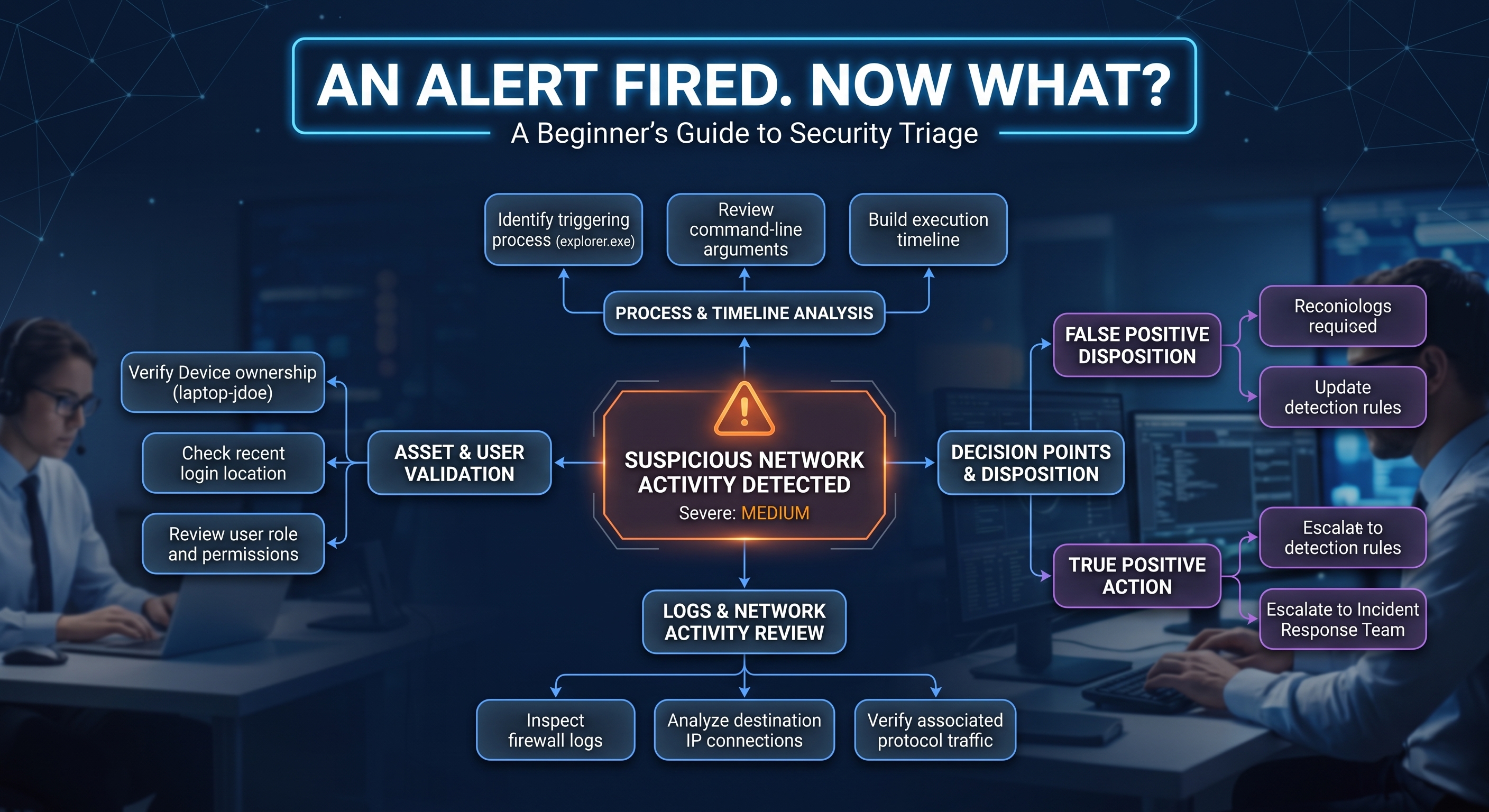
An alert is also a starting point.
Security tools make decisions based on things such as:
Rules
Signatures
Behavioral models
Known indicators
Configuration
Detection logic
Correlated events
Those tools can be extremely useful.
They can also produce events that require human interpretation.
Your job as a defender is not to assume the tool is wrong.
It is also not to assume the tool is infallible.
Your job is to investigate.
Ask Better Questions
When you encounter an indicator, ask:
What is the indicator?
Where did it come from?
When was it observed?
What asset is involved?
What process or user is associated with it?
What happened before it?
What happened afterward?
Is there supporting evidence?
Could there be a legitimate explanation?
Those questions transform an IoC from a scary-looking string into useful investigative information.
Threat Intelligence Is More Than IoCs
Another common beginner misconception is that threat intelligence is simply a giant list of malicious IP addresses.
It is broader than that.
NIST guidance describes cyber threat information as including things such as:
Indicators
Tactics
Techniques
Procedures
Recommended defensive actions
Findings from incident analysis
That broader perspective matters.
Knowing how an attacker behaves may be more useful than simply recognizing one IP address they used yesterday.
Practice in Your Home Lab
You can practice the analytical process without using real malicious infrastructure.
Create a harmless scenario.
Start a web server.
Connect to it from another VM.
Then examine the connection:
ss -tun
Check relevant logs.
Identify:
Source
Destination
Port
Process
Time
Then ask yourself:
If a security tool flagged that address, what else would I need before deciding what happened?
That is the skill you are building.
Not memorizing malicious IP addresses.
Investigating evidence.
Build a Simple Investigation Timeline
A useful beginner exercise is to organize observations in time order.
For example:
14:02 - User logs in
14:05 - New PowerShell process starts
14:06 - Process connects to unfamiliar external address
14:08 - New scheduled task created
14:10 - Security alert generated
Now ask:
Which event happened first?
Which account was involved?
Did one event cause another?
Which activity is expected?
Which activity needs more investigation?
A timeline helps turn isolated events into a story.
That is often much more useful than looking at a single alert by itself.
One Indicator vs. Multiple Indicators
Consider these two situations.
Situation One
Connection to suspicious IP address
Interesting?
Yes.
Enough to make a conclusion?
Probably not.
Situation Two
Connection to suspicious IP address
Unexpected process
New persistence mechanism
Unusual account activity
Matching malicious file hash
Now the picture is much stronger.
You still investigate carefully, but multiple pieces of corroborating evidence can significantly change your level of confidence.
This is why context and correlation matter.
Key Takeaway
Indicators of compromise matter.
They can help defenders identify activity that deserves attention.
But an indicator is not automatically proof that a system was compromised.
Treat it as evidence.
Add context.
Look for corroborating information.
Build a timeline.
Then make an assessment.
Good security analysts do not simply collect indicators.
They understand what those indicators mean in the environment where they were observed.
Verified References
NIST Glossary: Indicator of Compromise
NIST defines an indicator of compromise as an observable or technical artifact that suggests an attack or compromise may be occurring or may have occurred.
https://csrc.nist.gov/glossary/term/indicator\_of\_compromiseNIST SP 800-150: Guide to Cyber Threat Information Sharing
Discusses indicators of compromise as one component of broader cyber threat information and describes how organizations can use cyber threat information to support defensive activities.
https://csrc.nist.gov/pubs/sp/800/150/final
This article is intended for educational purposes. Any security testing or investigation should only be performed on systems you own or are explicitly authorized to analyze.